Annual Subscription (AMS) is required for all software purchases.

Module AdaptationSoftware Products

Module Adaptation and Renewal for Mercedes-Benz FBS4/DAS4 cars

SKU: MN032

$2,360.00

The ONLY solution for reusing second-hand FBS4 parts, not linked to vehicle/VIN! Faster and more convenient way to exchange modules! Dealer account not needed!

- +

The single end-to-end aftermarket alternative for FBS4 parts exchange! MN032 is a powerful software license by ABRITES, allowing you to work with used FBS4 modules in Mercedes-Benz vehicles effortlessly.  This license eliminates the need for purchasing expenisve new parts and lets you personalize used second-hand modules safely. Save time and effort! Get the job done in a few easy steps! Finish the job faster and make your customers happy! Functionalities:

  • Read the personalization data from a FBS4 Control Modules and save it to a file
  • Set FBS4 Electronic Control Modules to virgin state
  • Program personalization data to FBS4 Control Modules using a previously saved FBS4 file
  • Program personalization data to FBS4 Control Modules using a previously read dump file (DFlash/EEPROM)
  • VIN programming
  • Read and display FBS4 status by OBDII for ALL FBS4 Control Modules
  • FBS4 Control Modules Activation
  • Read and clear DTC of ALL FBS4 control units
  • Reflashing by OBDII of ALL FBS4 Control Modules.


NEW FUNCTIONALITY UPDATE:

  • Removing the “Emergency P” error (DTC example: “P179A77 – The redundancy system for DIRECT SELECT has a malfunction. The commanded position cannot be reached”) error from the DSM module via OBDII – No need to open the module! No need to replace the module!
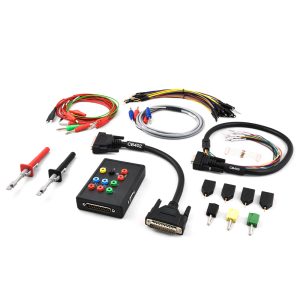
  • Removing the permanent DTC, most commonly seen as “P051300 – Start Enable not issued” from the VGS-FDCT/VGS2-FDCT TCU on bench via ABRITES Distribution Box Set (ZN151) – No need to replace the module!


Supported modules:

Transmission Control Units: VGS-FDCT/VGS2-FDCT (7G DCT), VGS4-NAG2 (7G-Tronic), VGSNAG3 (9G-Tronic), VGS-DCT (8G FDCT)

  •     Reading FBS4 data via OBDII and save it to file
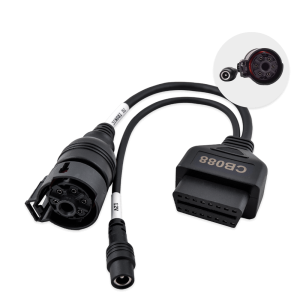
  • –    Setting to virgin state via ABRITES Distribution Box Set (ZN151) for VGS-FDCT/VGS2-FDCT, VGSNAG3
  • –    Personalization via ABRITES Distribution Box Set (ZN151) for VGS-FDCT/VGS2-FDCT, VGSNAG3 using previously saved FBS4 file
  • –    Reading and writing Config, SCN coding, EROTAN and EHS by OBD!

Note: The writing of the config data into the donor module is very useful when you replace only the conductor plate of the gearbox. –    Reflasing modules by OBDII using flash files available to you or using Abrites database

Note: This functionality is very useful for repairing modules when the flash is corrupted, for aligning software versions mismatch or updating the software versions of the modules

Disclaimer: License MN039 license is needed for setting to virgin state and personalization using a previously saved FBS4 file of VGS4-NAG2 via OBD and diagnostic CAN connection (see MN039 description)

DSM (all types of models) installed in vehicles equipped with VGS4-NAG2 (7G-Tronic) cars

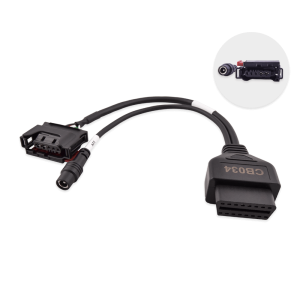
  • –    Reading FBS4 data via OBDII (or on bench using CB034)
  • –    Setting to virgin state via OBDII (or on bench using CB034) – No need to open the module!
  • –    Personalization via OBDII (or on bench using CB034) – No need to open the module!
  • –    Reflasing modules by OBDII using flash files available to you or using Abrites database

Note: This functionality is very useful for repairing modules when the flash is corrupted, for aligning software versions mismatch or updating the software versions of the modules

For ALL Engine Control Units

  • –    Reading FBS4 data by OBDII

  • –    Setting to virgin state by OBDII: MED17, EDC17, SID310, SID307, CRD3 ECUs (CR40 or EDC17C43, CR41 or EDC17C66, CR42 or EDC17CP46, CR43 or EDC17CP60, CR60 or EDC17CP46, CR61 or EDC17CP57, MED40 or MED17.7.1 or MED17.7.2, MED17.7.3, MED17.7.5, CRR1 or SID307, CRR1+ or SID310, CRD3, CRD3S2)
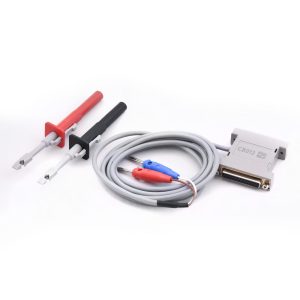
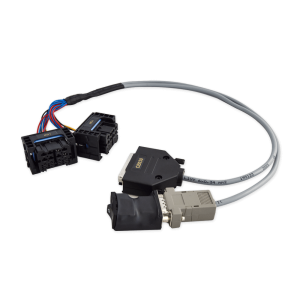
  • –    Setting to virgin state via ABRITES Distribution Box Set (ZN151)  – required for MED41 or MED17.7.7, MRD1, MRG1, CRR2 up to 2021
  • –    Personalization by OBDII (Extended personalization): MED17, EDC17, SID310, SID307, CRD3 ECUs (CR40 or EDC17C43, CR41 or EDC17C66, CR42 or EDC17CP46, CR43 or EDC17CP60, CR60 or EDC17CP46, CR61 or EDC17CP57, MED40 or MED17.7.1 or MED17.7.2, MED17.7.3, MED17.7.5, CRR1 or SID307, CRR1+ or SID310, CRD3, CRD3S2)
  • –    Personalization on bench via ABRITES Distribution Box Set (ZN151)  – required for MED41 or MED17.7.7, MRD1, MRG1, CRR2 up to 2021
  • –    Reflasing modules by OBDII using flash files available to you or using Abrites database

Note: This functionality is very useful for repairing modules when the flash is corrupted, for aligning software versions mismatch or updating the software versions of the modules

Disclaimer 1: License MN034 is required for personalization of MED17, EDC17 and DSM without previously saved FBS4 data (see MN034 description)

Disclaimer 2: License MN040 is required for personalization of VGS4NAG2 and VGSNAG3 without previously saved FBS4 data (see MN040 description)

Hybrid vehicle ECUs (INV20EM01 and derivatives)

  • –    Reading FBS4 data by OBDII
  • –    Setting to virgin state via OBDII – No need to open the module!
  • –    Personalization by OBDII (Extended personalization)
  • –    Reflasing modules by OBDII using flash files available to you or using Abrites database

Note: This functionality is very useful for repairing modules when the flash is corrupted, for aligning software versions mismatch or updating the software versions of the modules

Electric vehicle ECUs (EM01, EM02)

  • –    Reading FBS4 data by OBDII

Mercedes FBS4 Manager - Download Manual

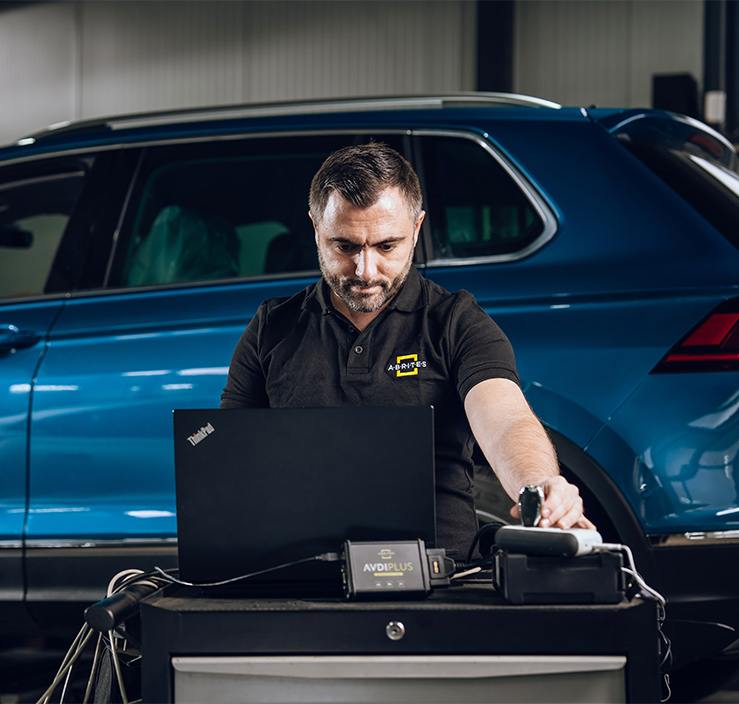
How AVDI Enhances Your Diagnostic Workflow

Discover the powerful features that make AVDI the go-to diagnostic tool for professionals in the automotive industry.
01

Connect AVDI to Your Vehicle:

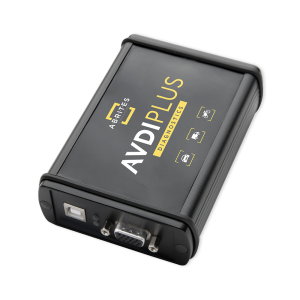
Quickly establish a connection with any supported vehicle using the provided cables.
02

Run Diagnostics or Program Modules:

Conduct fault code checks, diagnostics, and module adaptations using AVDI’s user-friendly software.
03

Receive Instant Software Updates:

Stay on top of the latest developments with automatic updates directly from ABRITES, ensuring that your diagnostic capabilities are always current.
deco-dots-dark-right

What Professionals Say About Abrites

Trusted worldwide by experts for automotive diagnostic software and tools.
Car shop using Abrites software

We had an amazing experience with this company!

READ FULL TESTIMONIAL

We had an amazing experience with this company!

We highly recommend them to anyone looking for quality products and excellent service.

Abrites client
Specialist scanning a car with AVDI plus software

I have been your client for over 10 years.

READ FULL TESTIMONIAL

I have been your client for over 10 years.

You have a great team, excellent customer service, and the quality of service is at the highest possible level.

Thank you very much, and best regards!

Abrites client
Specialist reading AVDI software

I feel good about the service I received from you.

READ FULL TESTIMONIAL

I feel good about the service I received from you.

ABRITES is a good software, and it does exactly what it promises to do, unlike other machines that claim to provide the best functions but later fail to deliver.

With ABRITES, you get exactly what you’re going to use.

Thank you!

Abrites client